

 DOI : 10.17577/
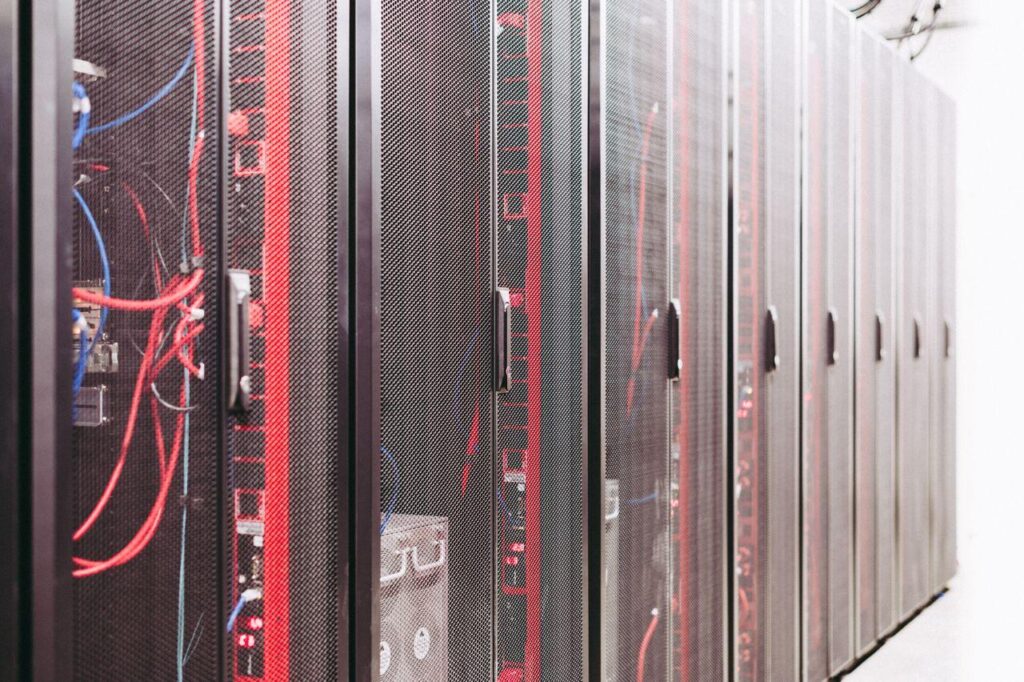
Photo by Brett Sayles from Pexels
Data centers are getting harder to power and cool. It’s not just more servers anymore. AI workloads are also increasing rack power density, while organizations expect infrastructure to remain available around the clock.
The International Energy Agency found that global data center electricity consumption jumped roughly 17% in 2025, hitting about 485 TWh and they’re projecting it could reach 950 TWh by 2030.
That makes efficiency non-negotiable. Hardware choices matter, sure. But so do cooling systems, power distribution, workload scheduling, and how you manage servers. Good facilities integrate these pieces instead of treating them as separate problems.
Understanding Power Usage Effectiveness
Power Usage Effectiveness is the standard metric. It compares total facility energy against what the IT equipment actually consumes.
A PUE of 1.0 would mean every joule powers computing. Reality’s different because energy also goes to cooling, distribution, lighting, everything else. Lower numbers mean better efficiency.
Reports put the national average PUE at 1.145 in 2024 for facilities running AI equipment, with projections of 1.136 by 2030.
However, PUE alone tells an incomplete story. A facility can look efficient on paper while its computing workload wastes enormous amounts of electricity. You need to look at facility efficiency and actual output together. That’s where server automation enters the picture.
Cooling Has Become a Major Engineering Challenge
Every server converts electricity into heat. Higher density means removing that heat gets harder.
Cooling can eat a shocking amount of total consumption. The IEA estimates it accounts for roughly 7% in efficient hyperscale facilities but over 30% in less-efficient enterprise ones.
Traditional air cooling still works for many environments, particularly moderate densities. AI infrastructure changes things. You can use:
- Liquid cooling
- Better airflow
- Containment
- Variable-speed fans
- Intelligent controls
Automation Connects Infrastructure With Workloads
Server automation adds another layer of efficiency. A data center may contain hundreds or thousands of servers, and their workloads rarely remain constant. One machine may be heavily used while another sits mostly idle. Running every server at maximum capacity regardless of demand wastes electricity and produces unnecessary heat.
Automated workload placement can respond to this problem. Instead of treating every server as an equal destination, orchestration systems can consider:
- Available CPU capacity, memory
- GPU resources
- Thermal conditions
- Energy consumption
- Application requirements before assigning work
During periods of lower demand, workloads can potentially be consolidated onto fewer machines while suitable systems are placed into lower-power states. This approach also creates an interesting relationship between software and physical engineering.
Suppose one part of a facility is already operating at a high thermal load. A workload scheduler could place additional computing demand elsewhere when the infrastructure supports that decision. Likewise, workloads that are less sensitive to latency may be scheduled during periods when electricity availability or facility conditions are more favorable.
Ansible and Consistent Server Management
Configuration consistency is another important part of an efficient data center. Manually configuring individual servers takes time and increases the chance of differences between machines.
Infrastructure automation tools can help administrators define configurations once and apply them repeatedly. For teams learning setting up an ansible control node, this can provide a foundation for managing server configurations from a centralized control point.
Ansible can be used to automate tasks such as:
- Package management
- Configuration changes
- Service deployment
- System updates
That matters for energy efficiency because predictable infrastructure is easier to monitor and optimize.
For example, an admin could establish standardized configurations for server power management, monitoring agents, logging, or workload software. Changes can then be applied consistently instead of being performed manually across individual machines.
Endnote
An energy-efficient data center doesn’t come from installing one efficient cooling system or buying newer hardware.
It comes from facility engineering and software operations working together. PUE gives you useful infrastructure insight. Cooling handles growing heat loads effectively. Automated workload placement ensures computing resources get used intelligently. Server automation keeps the environment consistent through changes.